What makes the fg55 mobile app different?
Most people today do everything on their phones — banking, shopping, entertainment. fg55 was built with that reality in mind. It's not just a scaled-down version of the website; the fg55 app is a fully featured mobile gaming platform, designed specifically for smaller smartphone screens.
Internet speeds in Bangladesh aren't always consistent — sometimes 4G, sometimes 3G. The fg55 app is optimized to run smoothly in both conditions. It uses smart caching to keep data usage low, so you get a better experience on the same amount of data.
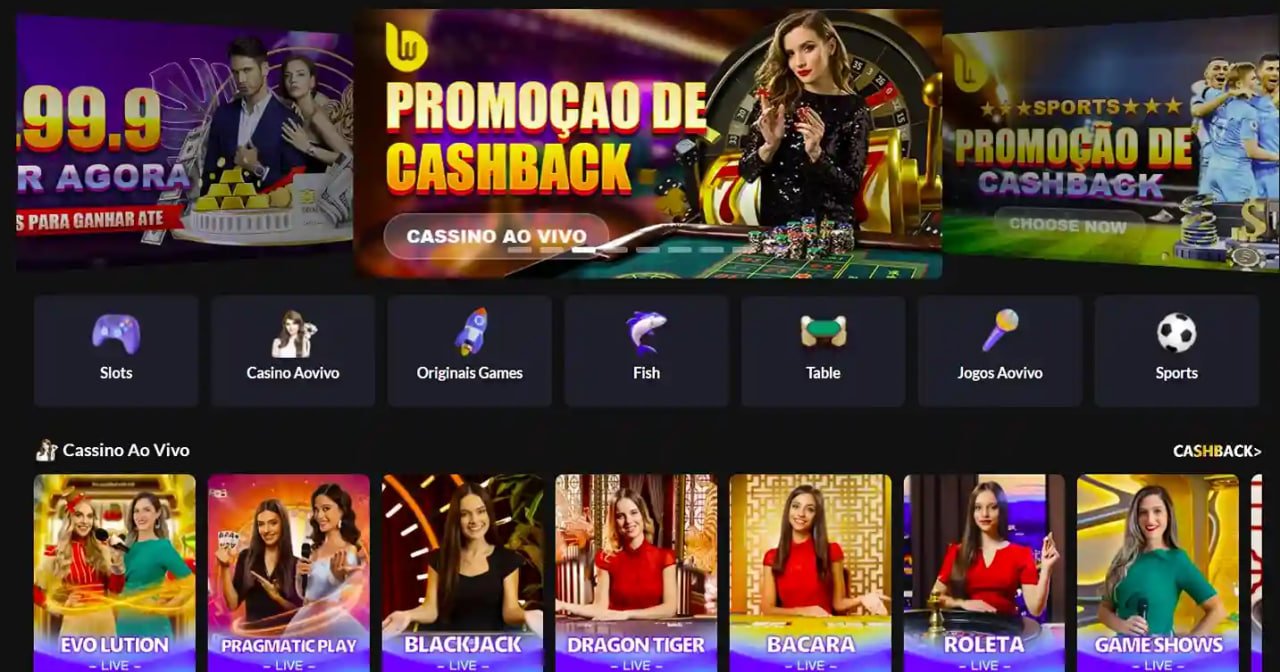
When you open the app, all games are neatly organised by category. Slots, Live Casino, fish games, VIP lounge — everything is just one tap away. Your wallet, withdrawals, and bonuses are all visible right from the dashboard. No hunting around for anything.
Key features of the fg55 app
The fg55 app is more than just gaming — it's a complete gaming ecosystem. Here are the key features.
Fast Loading
Games load quickly even on low bandwidth — no lag.
Secure Login
Fingerprint & Face ID support.
Push Notifications
Never miss a bonus or offer.
Bangla Language
Fully Bangla interface, easy to understand.
In-app payments
Mobile banking supported, including Mobile Banking and Nagad.
Live Streaming
Enjoy Live Casino in smooth, seamless video.

How to download the fg55 app
The installation process is straightforward. Whether you're on Android or iOS, the app is ready to go within minutes. Follow the step-by-step instructions below.
Visit the fg55 website
Open fg55.app in your Android browser and go to the app page.
Enable "Unknown Sources"
Go to Settings → Security → Unknown Sources and enable the option. This is required to install third-party APKs.
Download the APK file
Tap the "Download on Android" button. The file will be saved to your phone's Downloads folder.
Install
Once the download is complete, tap the file and click "Install".
Log In or Register
Once installed, open the app. New users can register, while existing users can log in directly.
Open fg55.app in Safari
Using Safari on iOS is essential — other browsers may not show the install option.
Tap the Share button
Tap the Share icon at the bottom of the screen (the box with an arrow pointing up).
Select "Add to Home Screen"
Scroll down and tap the "Add to Home Screen" option.
Confirm Name & Add
When you see the name "fg55", tap "Add" at the top. A shortcut will be created on your home screen.
Open from the app icon
Tap the fg55 icon on your home screen. It opens in full screen, just like the app.
- After installing on Android, turn Unknown Sources back off — it's better for your security.
- When an app update is available, fg55 will send a push notification so you can update and access the latest features.
- Downloading over WiFi will save your mobile data.

App vs. mobile browser — what's the difference?
Many people wonder: if the website already works in the browser, why bother with a separate app? That's a fair question. The truth is, you can play on both the fg55 app and a mobile browser — but the experience is quite different.
| Topic | fg55 App | Mobile Browser |
|---|---|---|
| Loading Speed | Faster | Comparatively slower |
| Push Notifications | Yes | Limited |
| Biometric Login | Supported | None |
| Offline caching | Yes | None |
| Data usage | Lower | More |
| Home Screen Icon | Yes | Must Be Added Manually |
As you can see, the fg55 app has a clear edge over the mobile browser in several important areas. For regular players in particular, the app is far more convenient — no need to open a browser and search for the site every time; you can jump straight in from your home screen.
Games available on the app
The fg55 app offers essentially the same games available on the website. Here's a quick look at the key categories:
Slot Games
Hundreds of slot machines, spinning smoothly on mobile.
Live Casino
Live table games with real dealers.
Fish Games
Fish shooting games on touchscreen — great fun.
VIP Lounge
Exclusive games & offers for VIP members.

App security & privacy
Fg55 never compromises on user data security. Every session in the app is fully encrypted, keeping your login credentials and payment details safe at all times. With biometric authentication — fingerprint or face lock — no one else can access your account, even if your phone is lost.
Fg55 will never ask for your password, PIN, or OTP by phone or message. If anyone claims to be from fg55 and requests this information, it's a scam. Report it directly through the app's support channel.
Enabling two-factor authentication (2FA) in the app is the most secure option. A one-time code is sent with every login, ensuring only you can access your account.